
Some people find tuning FPV drone filters challenging, and to a certain degree, it is. You need to set the right cutoff frequencies, adjust parameters, observe results, and experiment with different combinations. If you’re not an expert, this process can feel overwhelming, which is understandable.
But what if I told you that INAV offers a completely new feature designed to automatically tune gyro LPF filters? No AI or neural networks involved—just straightforward statistics and a simple integrator that adjusts the main gyro filter without any input from you!
This feature is called the INAV Adaptive Filter
Before we start, note that the gyro adaptive filter settings are only accessible via CLI. To keep the INAV Configurator interface simple, these settings aren’t available there.
How it works
As mentioned earlier, the Adaptive Filter uses statistics to determine a gyro low pass filter cutoff frequency that provides the right level of noise attenuation. If there’s too much noise, the filter lowers the cutoff frequency to clean the signal. When the gyro noise decreases, the Adaptive Filter raises the cutoff frequency to reduce filtering.
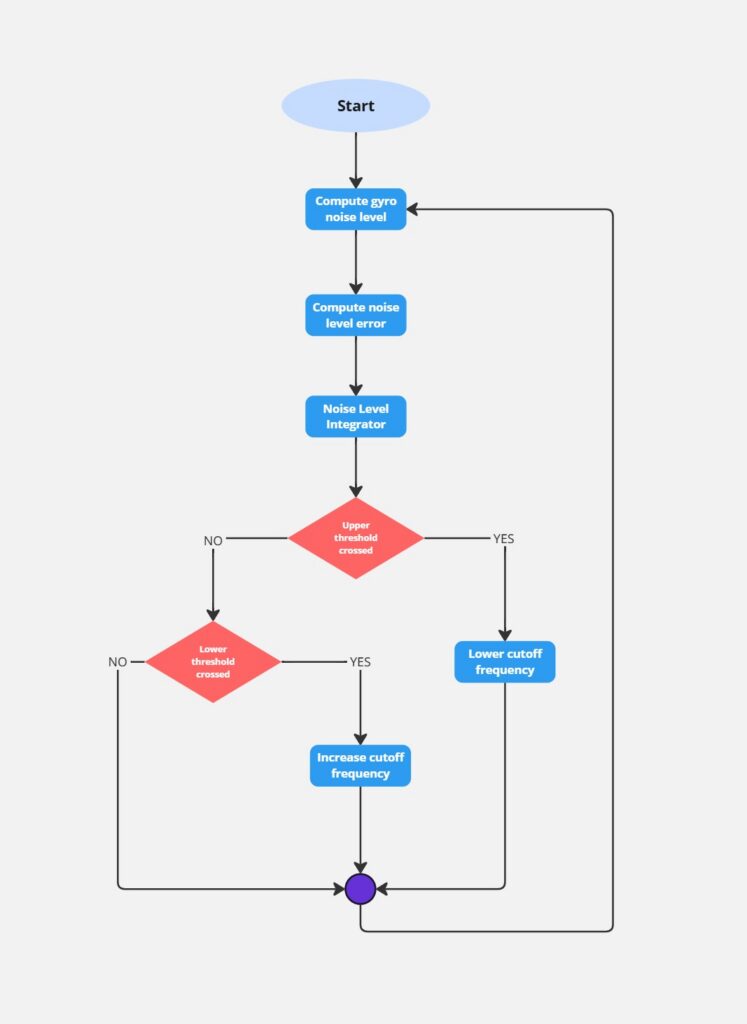
Ultimately, the goal of filter tuning is to set the gyro LPF as high as possible without adding excessive noise. INAV accomplishes this automatically, adjusting 150 times per second without your manual input!
How to use it
First, go to the Tuning tab and disable Ez Tune. Since Ez Tune simplifies settings, it needs to be turned off to work with advanced filters.
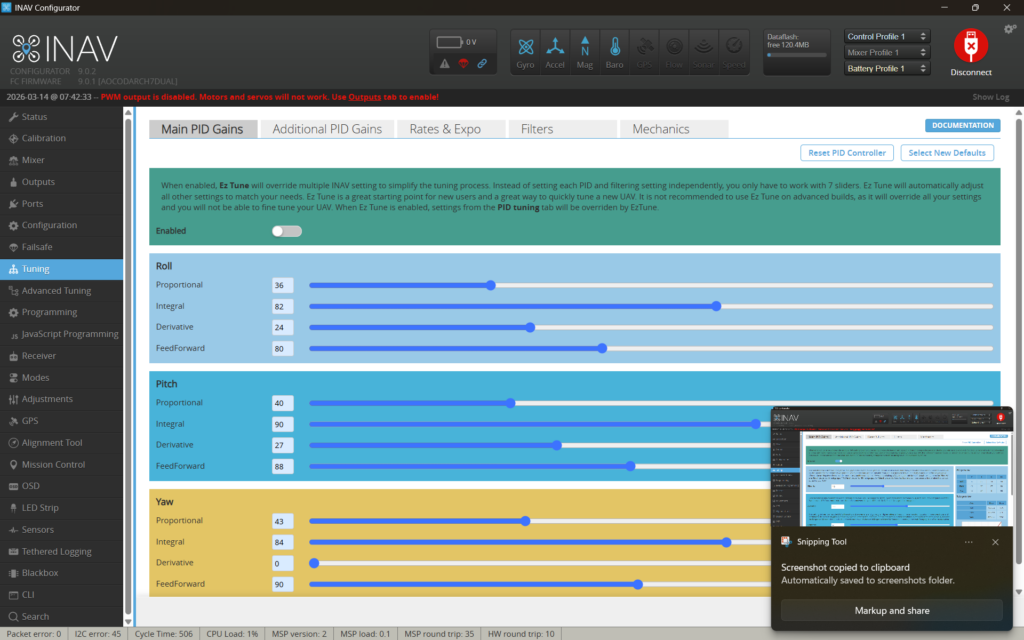
Next, open the CLI and type get gyro_filter_mode. If you haven’t changed it before, it should be in STATIC mode. You’ll also see other possible values: Allowed values: OFF, STATIC, DYNAMIC, ADAPTIVE. We want to select ADAPTIVE mode.
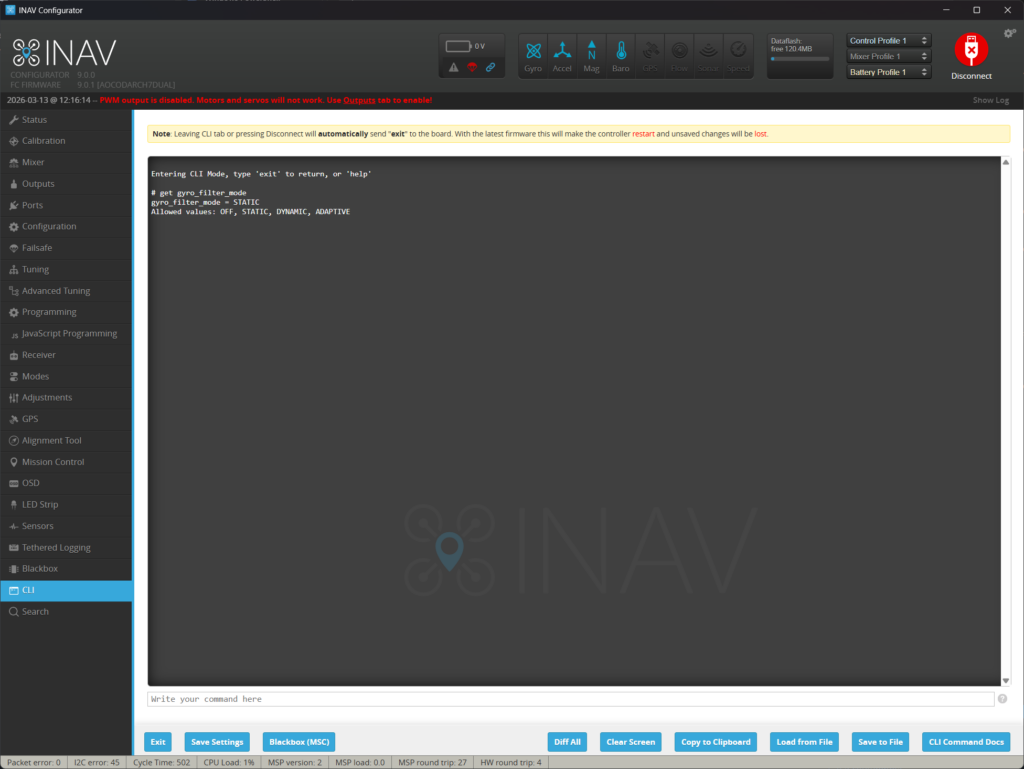
Enter:
set gyro_filter_mode=ADAPTIVE
saveAnd that’s it—you’re ready to fly. There are no special values you need to input or change from the defaults. However, if you want, you can adjust some settings:
- gyro_adaptive_filter_target (default 3.5) – defines the target “smoothness” of the gyro signal. Lower values give a cleaner signal but with higher phase delay. The default 3.5 is a balanced choice.
- gyro_adaptive_filter_min_hz (default 50Hz) – the lowest cutoff frequency the adaptive filter can set.
- gyro_adaptive_filter_max_hz (default 150Hz) – the highest cutoff frequency the adaptive filter can set.
- gyro_adaptive_filter_std_lpf_hz (default 2Hz) – smooths the tracked standard deviation of the gyro signal.
- gyro_adaptive_filter_hpf_hz (default 10Hz) – only noise above this frequency is considered in the adaptive filter calculation.
- gyro_adaptive_filter_integrator_threshold_high (default 4) – if the integrated error of standard deviation exceeds this, the filter lowers the cutoff frequency by 1Hz.
- gyro_adaptive_filter_integrator_threshold_low (default -2) – if the integrated error of standard deviation falls below this, the filter raises the cutoff frequency by 1Hz.
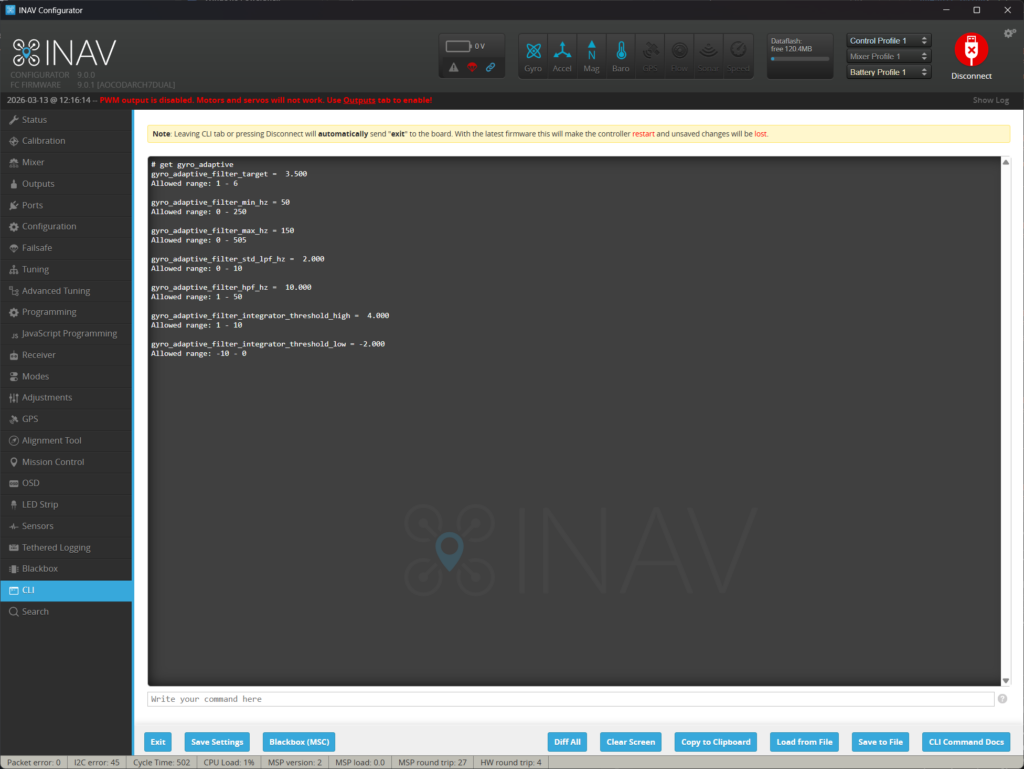
Additionally, you can save debug data of the Adaptive Filter to the blackbox log by setting set debug_mode=ADAPTIVE_FILTER. The debug log will then include:
| Debug field | Data |
| 0 | sample standard deviation multiplied by 1000 |
| 1 | current integrator value multiplied by 10 |
| 2 | currently computed gyro low pass filter cutoff frequency |