A Python tool called Mesh2Cad converts mesh files into parametric CAD output in several formats. It works best on simple, primitive-based parts.
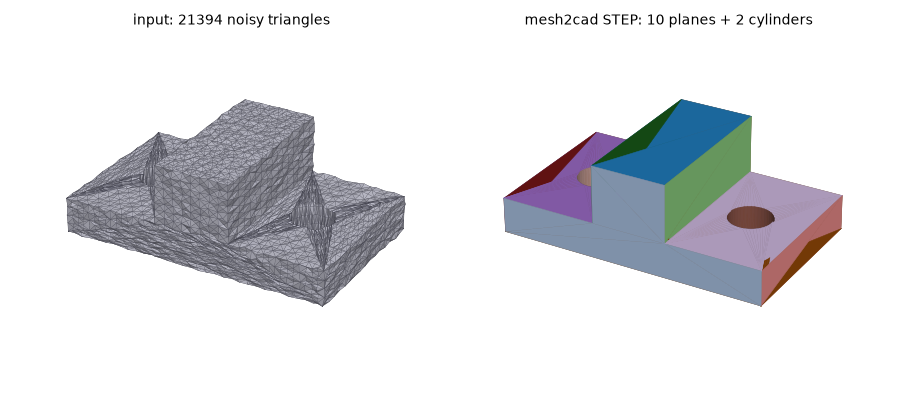
Many makers have found an STL file that almost fits their needs, only to discover the mesh is not quite usable. Light mesh editing can fix some cases, but others call for rebuilding the geometry in a proper CAD environment. Developer Emir Mrkaljevic has created Mesh2Cad, a program aimed at exactly that task of converting a mesh into a CAD file.
The tool is flexible about output. Besides STEP, it can generate scripts for FreeCAD, CadQuery, and OpenSCAD. The FreeCAD option produces a macro that builds the object rather than a finished .FCSTD file, which is still useful. Mesh2Cad is written in Python and can be installed with pip, and its source code is available on GitHub for anyone who wants to inspect it. According to the description, the scripts check their own results and only produce CAD output when they can approximate the original mesh within a set tolerance.
There are clear limits. Because the approach relies on the kind of primitive operations OpenSCAD typically uses, it cannot handle organic shapes or free-flowing curves. For boxes, brackets with holes, and parts with fillets and chamfers, however, the tool could save a noticeable amount of rebuilding time. For meshes outside its scope, manual editing remains the alternative.
Source: Hackaday